Episode 15 - Cherry On Top - Ainsley Costello - Music Experiment Part 2
Let's see if I can get it right this time. The last time out I think I published my RSS feed with a mistake in the song's GUID. This time out, using Podcasting 2.0's last episode's RSS feed as a guide, I confirmed which GUIDs to use. So before I hit Podping to publish my feed I will make sure everything in the remoteItem and valueTimeSplit tags are correct.
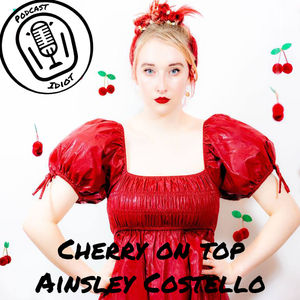
The song I chose is titled "Cherry On Top" by Ainsley Costello. It's a rockin' little pop tune by a 19 year old girl in Nashville.
https://youtu.be/bdMQGXGIUmM
In preparation for posting this episode I searched this track on Podcast Index. Here is that listing. https://podcastindex.org/podcast/6471422. Clicking on the RSS link in the listing takes you to this feed on Wavlake. https://www.wavlake.com/feed/d0efe4fb-714e-4ea1-a6b4-422842262cf2.
Examining the feed you can see the podcast GUID is b55c93d2-4571-55fd-9562-7966beaa7ea2. You can find that by looking for the tag. The item GUID is 729ff127-1fcc-4086-8e67-4386e87ac585. The item GUID is not so intuitive. There is a string in the URL that looks like a GUID. And maybe it is for Wavlake's purposes. But it's not the GUID needed for the remoteItem tag. At least that's what I gather looking at Podcasting 2.0's RSS feed. The GUID needed for remoteItem is directly under the tag in the item. In this case, for the track I'm playing here the link tag looks like this:
https://www.wavlake.com/album/d0efe4fb-714e-4ea1-a6b4-422842262cf2
That string at the end is not the GUID. Here is the line directly underneath.
729ff127-1fcc-4086-8e67-4386e87ac585
This should be the proper GUID.
If I've done this correctly this time around when the song starts playing the album art should change to the proper art and any sats streamed or boosted should go directly to the artist. Let me know if anyone gives this a try. I'd like to know if I finally got it right.
As a precaution, I will also include this artist in my episode's value block.