
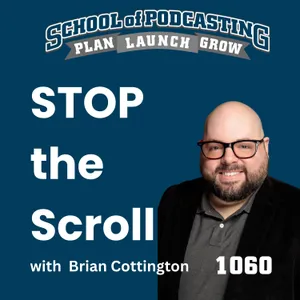
Stop the Scroll: Better Podcast Titles and Thumbnails
NOV 2, 202647 MIN
Description
Remember standing in the video store on a Friday night, holding two boxes and trying to decide which movie to rent? According to my old friend Brian Cottington, head of video marketing at Libsyn, that's exactly how YouTube works in 2026. This week Brian explains why your thumbnail is a billboard (not an SEO tool), the three thumbnail styles that work best for podcasts, why his slick motion-graphics intro caused his viewers to fall off a cliff, and whether you should use AI to make your artwork.
And even if you're thinking, "Dave, I don't do YouTube," stick around. Everything we talk about works for episode artwork and titles in audio-only podcast apps too. Plus, a word of caution about NaPodPoMo before you sign up for 30 episodes in 30 days.
There's No Such Thing as Competition in Podcasting
Here's a fun fact: Brian found me through the Podcasters' Roundtable, a show I did with Daniel J. Lewis and Ray Ortega, who are technically my "competition." He liked what he heard, started listening to the School of Podcasting, and years later we worked together at Libsyn.
Brian does the same thing on his own show, The Cinema Psychos. He keeps an eye on social media, spots movie podcasts he thinks are funny, and invites them on as guest reviewers. The Silver Linings Playlist podcast and the Movie Dumpster podcast are regular collaborators, and they trade appearances every few months. To the new podcaster who worries a guest will "steal" their audience, Brian puts it best: you're starting at zero, so it can only help you. At the very least, you're building a network of people who will like, comment on, and share your stuff.
Why Brian Added Video to His Podcast
Brian has always been a filmmaker. He started podcasting in 2016 as a creative outlet (an article by Kevin Smith gave him the nudge), and only moved to video after hearing Doc Rock from Ecamm encourage podcasters to try it. The question that sold him: is my audience there? For a movie show, a big chunk of it was on YouTube.
Two things I love about how he approached it. He treated it as an experiment, and he's having fun with it, constantly looking for ways to make the workflow faster so he doesn't burn out producing both versions. If video stops being fun for you, quit the video, not the podcast.
Your YouTube Thumbnail Is a Billboard
Brian answered my "where do I start?" question with a question: what made you pick a movie at the video store? The box art. Then the title. Then you flipped it over and read the hook on the back. YouTube is just the video store in 2026.
His process for packaging an episode:
Find the hook first. What's the main value of this episode? What do you want people to walk away with?
Put that hook at the very beginning of the episode. It doesn't have to be a cold open, but it has to be up front.
Make the thumbnail and title reflect that same hook. The thumbnail stops the scroll. The title gives the image context. The first line of the description backs it up.
The mistake he sees constantly is treating the hook, the title, and the thumbnail as three separate things. If someone clicks and doesn't immediately get what those two signals promised, they bounce. It's also why I got straight to the interview this week. You saw Brian's face on the artwork, so you knew it was an interview. Nobody needs to hear what my cat did to my couch first.
3 Podcast Thumbnail Styles That Work
At Podcast Movement, Brian broke down the thumbnail styles podcasters use most. Hint: don't make a MrBeast thumbnail. You're not doing challenge videos.
Host and guest flanking the image, with four to six words. Not the episode title. The most curiosity-driving words you can find. If the episode is about weight loss, the thumbnail might say "I wish I knew this sooner," and the title says "How I Lost 25 Pounds With One Technique." Brian calls that the "brain gap."
Your face reacting to a visual story. He showcased the Call Me Chris podcast, which uses this with no text at all. It's great for topic-based shows because it triggers an emotional "what am I looking at?" response.
No words at all. You don't have to put text on a thumbnail.
The thing I was guilty of: slapping the episode title on the artwork. The thumbnail and title should work together, not repeat each other.
Episode Artwork Matters for Audio-Only Podcasts Too
If you don't do YouTube, this still applies. Apple Podcasts showcases episode artwork, and the eye directs the hand to click. Brian's theory (his words, not a study) is that audio listeners are easier to convince than video viewers, because they're already in the mindset to sample an episode. Packaging your audio episodes this way can give you an edge.
Moving From Audio to Video: Rethink Your Episode Structure
The biggest shift for audio podcasters going to video isn't the camera. It's the content structure. A long music bumper followed by ten minutes of breakfast banter might look fine in your Apple consumption graph, but a video-first audience won't sit through it.
Brian learned this the hard way. He built a beautiful 20-to-30-second motion graphics intro, and YouTube Studio's audience retention graph showed a cliff right when it played. Now it's about five seconds, just the logo, then straight to him. His advice: if you want to play YouTube's game, you have to play YouTube's game. Don't try to run an audio-only playbook in a YouTube sandbox.
It works the other way, too. If your show is built for video, check how it sounds as audio. Brian tried to listen to an AI tutorial podcast and couldn't follow it, because everything was on screen. Know not just why your audience consumes your show, but how.
Live Streams Are Different
I confessed that my live streams start with an intro and an ad, and the content doesn't arrive for about two minutes. Brian's take: treat live as its own thing. A monthly live episode is for super fans who want to interact with you, and bumpers don't matter there. The Movie Dumpster crew does a no-frills wide-shot Q&A live once a month, completely separate from their heavily edited regular episodes.
Should You Use AI to Make YouTube Thumbnails?
Tools like 1of10 (around $90 a month), TubeBuddy, and VidIQ will make thumbnails for you. Brian, a fine artist and graphic designer at heart, uses AI as a helper, not a replacement:
Upscaling or cleaning up an image in Adobe Firefly is fine.
He hadn't shaved one day, so he gave Firefly a still and asked it to make him look sad with a three-quarter turn. It was a little creepy, but good enough.
A/B test it. YouTube lets you test thumbnails. Try an AI-assisted one against one you made, and keep whichever drives more watch time.
Don't clone someone else's thumbnail. The algorithm is smart enough to notice, and if your hook and title don't match, a ripped-off thumbnail won't save you. Study the composition and adapt it for your audience instead.
Should You Put Your Audio Podcast on YouTube as a Still Image?
Nobody is forcing you to do video. The podcast police are not going to knock on your door. Brian did still-image episodes for four or five years, and his most-viewed video, with over 100,000 views, is a still-image interview with an actor from the 1996 movie Skyscraper starring Anna Nicole Smith. He has no idea why.
But understand the expectation: people click on YouTube to watch video. Big shows can get away with a static image. Indie podcasters have to work harder. If your audience is genuinely on YouTube, consider simple live-action video. If not, a still image is fine, just expect low engagement.
Brian's Favorite Podcast and Video Tools
Ecamm Live for recording (he loves the vertical feature for social clips)
Stream Deck to live-edit his show, so production takes as long as recording
Premiere Pro for editing
Photoshop's Generative Fill to extend his backgrounds (Canva occasionally)
Adobe Firefly for AI image help
VidIQ, his one paid YouTube tool recommendation (there's a free version)
Claude and ChatGPT for automation experiments
Kit for his newsletter (though he admits he's terrible at newsletters)
And CapCut? He doesn't like it. The multicam feature he'd tested disappeared in the middle of a live demo, and support told him it wasn't released yet.
My Take: Don't Let Video Kill Your Podcast
I know YouTube's game. I just don't have the time to play it fully, so I do what I can and accept the results. My biggest fear is the podcaster who adds video thinking it's the thing that will catapult them, gets crushed by the extra time, effort, and money, and then cancels the whole podcast instead of dropping the video. Former Libsyn colleague Elsie Escobar said it well: try video, and if it works, great. If it's too much, go back to audio.
NaPodPoMo: 30 Episodes in 30 Days
November is NaPodPoMo (National Podcast Post Month), where you record 30 episodes in 30 days. For a brand-new podcaster, it's a great way to get your reps in. Measure uploads, not downloads. Just know that around day 12 you may run out of content and feel the pressure. If you feel overwhelmed, remember it's batting practice. Unless you're planning a daily show (which is a huge grind without a team), that's not what podcasting normally looks like. Check it out at napodpomo.org, and say hi to Jennifer for me.
Launching a Podcast in January 2027?
Start now. Aim to have it ready around December 10, because Apple takes a couple of weeks off at the end of the year.
Mentioned in this episode:
Podpage Stopped her From Quitting Her Podcast!
Kelly Palace does the Outswim Podcast (outswimpodcast.com) and has been doing it for years. She was ready to unplug the show when she discovered Podpage. It took many workflow items off her plate and kept her podcasting. Start your free 14-day Trial at podpage.com/preview
Podpage
Your Podcast Starts TODAY
Check your calendar - 2027 is right around the corner.
Want to launch your podcast in January? Here’s the catch: Apple takes a couple weeks off at the end of the year. Miss early December, and your launch could slip.
So start planning now.
The School of Podcasting gives you courses, coaching, and a community to get it done right.
Visit schoolofpodcasting.com and use coupon code LISTENER. Join worry free with a thirty-day money-back guarantee.
Your January launch starts today
School of Podcasting
Question of the Month: What is a "Newbie Podcaster"
Poll Question: What makes someone a “newbie podcaster”?
Is it how long they’ve been podcasting or how many episodes they’ve published? Is it something else? How would you define a newbie podcaster?
Leave your answer at schoolofpodcasting.com/question by November 27th and don't forget to mention your show and your website address so I can link to it in the show notes.
(Please try to keep them under 5 minutes if you can).
Question of the Month
Live Appearacves
November 7th Podindy.com use the coupon code sop - Whiteland Indiana
November 12th at 3PM Daniel J. Lewis will be doing a Demo of Podgagement. Brought to you by Podpage.com Register at schoolofpodcasting.com/where
Where Will I Be?